2.0

DYTOR v2.0 Launch

UXPerformanceTimerMulti-mediaRoles

DYTOR v2 interface

Professional Timing Control for Every Stage
From conferences to theaters, broadcast studios to classrooms. DYTOR delivers drift‑free synchronization and role‑based control that keeps productions running flawlessly and adapts to every team.

Highlights

  • Dual Timer System with count‑down / count‑up, pause/resume, and smart alerts.
  • Event Scheduling with drag‑and‑drop queue, presets, and visual progression.
  • Message Broadcasting with presets, flash effects, and visibility control.
  • Remote Control with multi‑device access and real‑time monitoring.
  • Multi‑Display Support for primary control and secondary stage screens.
  • Analytics & Recording with session logs and export‑ready reporting.

Role‑Based Interfaces

  • Admin — full control of timers, schedule, messages, displays, and permissions.
  • Queue Manager — event flow coordination and preset messaging.
  • Speaker — personal timer control and session visibility.
  • Viewer — display‑only access for audience screens and monitoring.
1.0

DYTOR v1 (Backstage Pro Legacy)

UIUXMediaStagetimer

The original Backstage Pro v1 release introduced professional-grade timing control for live events and broadcast environments. This version represents the foundation of DYTOR’s product direction.

Legacy website: https://bsp-drab.vercel.app

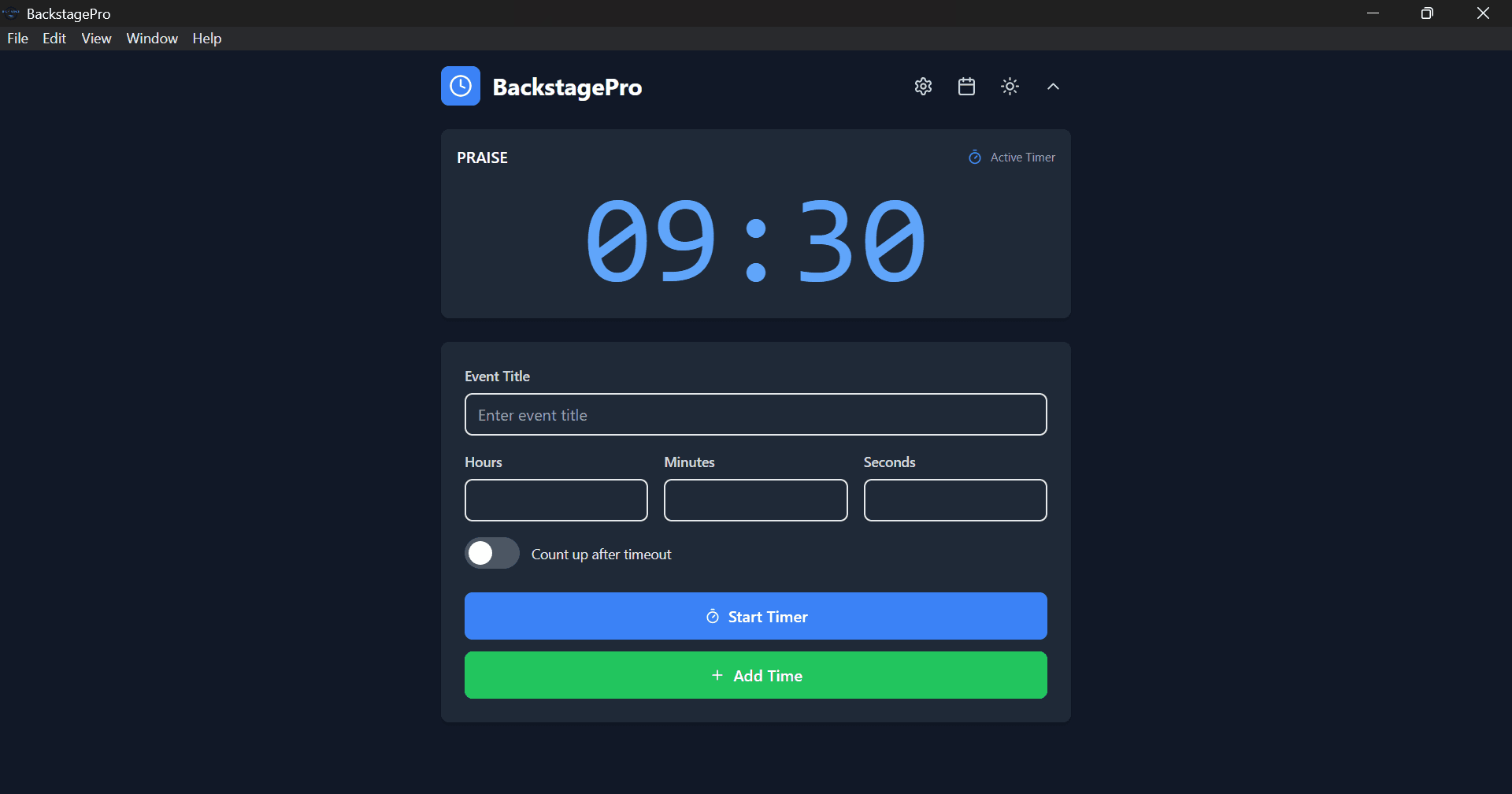
Legacy Interface

Backstage Pro v1 Interface

Backstage Pro v1 Overview

Professional Broadcast Stage Panel — the ultimate live event management solution. Built for broadcast professionals who demand precision, reliability, and seamless operation under pressure.

Core Capabilities

  • Dual timer system with real-time display, pause/resume, and configurable alerts.
  • Multi‑display support for primary control + secondary display screens.

Feature Highlights

Dual‑Display Architecture
Dedicated operator control interface with separate presenter display and zero‑latency synchronization across screens.

Production Documentation Suite
Comprehensive event logging with automatic timestamping, segment tracking, and professional PDF reports.

Professional Experience

Precision Timing Engine
Frame‑accurate timing with millisecond precision, count‑up modes, and dynamic segment management.

Operator Efficiency Suite
Complete keyboard command system designed for high‑pressure live environments.

Adaptive Visual Design
Interface themes optimized for varied lighting conditions and studio use.

Accessibility
WCAG 2.1 AA compliant interface with full screen reader and keyboard support.